Published:
How Does IPTV Work? The Technology Explained 2026
How does IPTV work? TV signals become data packets streamed over your internet – tech, boxes, data usage and subtitles explained. Try it free.
Quick answer
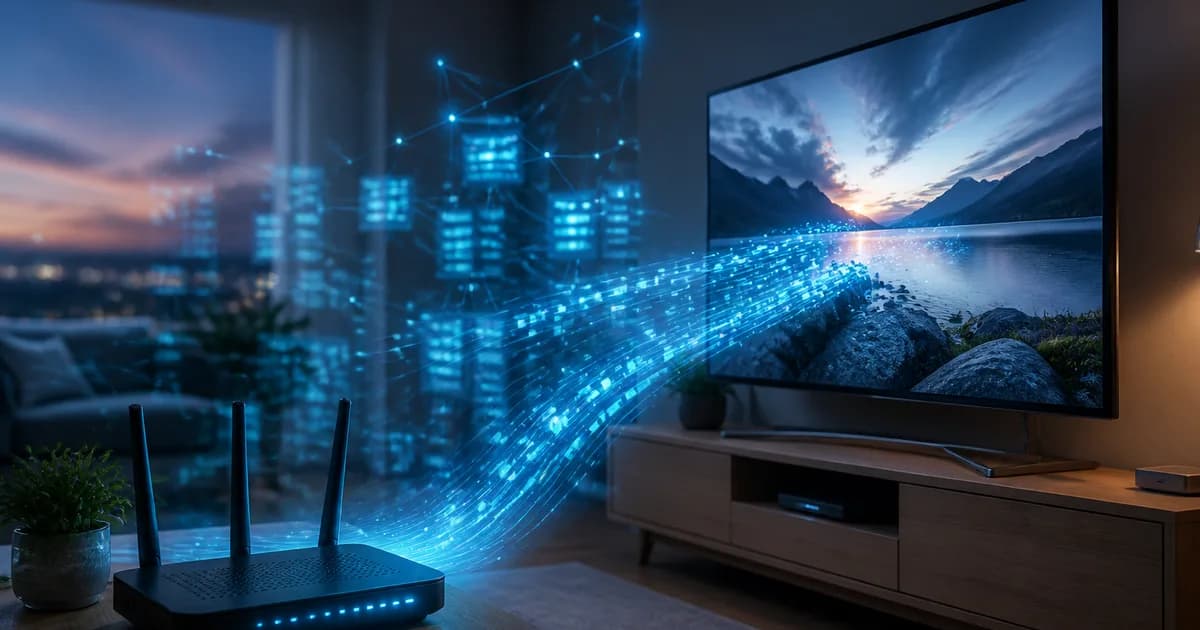
How does IPTV work? IPTV (Internet Protocol Television) takes a TV channel or video file, compresses it with a codec (H.264 or H.265), splits it into small IP data packets and sends them over your broadband instead of via cable, satellite or an aerial. Your IPTV app or box receives the packets, reassembles them and plays the picture in real time – the same way you stream music, but with live TV. All you need is internet of at least 25 Mbps, a compatible device and an app loaded with your M3U link or Xtream Codes login.
Key points
- Three stages: the content is encoded → delivered as IP packets via servers/CDN → played back in your app or box.
- The protocol: usually an HLS stream accessed through an M3U/M3U8 playlist or the Xtream Codes API, with an EPG programme guide in XMLTV format.
- Data usage: roughly 1–2 GB/hour in HD and 7–10 GB/hour in 4K – plan ahead if you have a data cap.
- Subtitles: turned on in the player's playback menu when the channel carries a subtitle track; catch-up services like SVT Play have them built in.
- Getting started: app + M3U or Xtream Codes + a connection = up and running in under five minutes, often via a free trial.
How does IPTV work, really? The question comes up every time someone swaps an old cable box for a service that streams television over the internet. The short answer: IPTV converts TV channels and video into digital data packets and sends them across your internet connection, so you can watch SVT1, TV4, Allsvenskan or a film straight on screen with no dish, aerial or cable-TV socket. It is the same technology that powers everything else online – the only difference from web browsing or music streaming is that the packets carry a living TV picture.
In this guide we walk through exactly how does iptv work at a technical level: how a broadcast becomes data packets, the role servers and CDNs play, what an M3U link and Xtream Codes are, how an IPTV box differs from a smart TV, how much data the service uses and how to get subtitles working. We take it step by step, with concrete figures where they exist and qualitative descriptions where exact numbers cannot be verified. The goal is that after this article you both understand the mechanics and can set up IPTV yourself – ideally via a free trial with Nordisc IPTV.
Contents
- How does IPTV work? The technology step by step
- How does IPTV work compared to cable, satellite and aerial?
- How do you get IPTV and start watching?
- How does an IPTV box work versus a smart TV or stick?
- How much data does IPTV use?
- How do you get Swedish subtitles on IPTV?
- Troubleshooting: when IPTV does not work
- Pros and cons of how IPTV works
- Frequently Asked Questions about how IPTV works
- Conclusion
How does IPTV work? The technology step by step
How does iptv work in purely technical terms? In short: a TV signal is compressed into digital data, split into IP packets, transported over the internet and reassembled in your player. The whole chain happens in fractions of a second and repeats continuously as long as you watch. Below we break down the three main stages so you can see exactly what happens between the TV studio and your sofa.
Stage 1: The content is captured and encoded
It all starts with a source – a live channel, a sports broadcast or a film file. Raw video is far too large to send over the internet as-is, so it is compressed with a video codec. The two most common are H.264 (AVC) and the newer H.265 (HEVC), where HEVC delivers the same picture quality at roughly half the data – crucial for 4K UHD. The audio is encoded in parallel, often in AAC or a Dolby format.
The encoded stream is then packaged in a transport format. For live TV, HLS (HTTP Live Streaming) dominates: the video is split into short segments of a few seconds each and described in a playlist. That is why IPTV can start playing almost instantly and adapt its quality to your connection.
Stage 2: Distribution via servers and a CDN
The encoded segments sit on the provider's servers. When thousands of viewers want to watch the same match at once, a single server would become a bottleneck, so the content is spread across a CDN (Content Delivery Network) – a web of servers geographically close to users. Your device pulls the segments from the nearest node, which keeps latency low and the picture stable.
This is where a serious provider's infrastructure shows. How does iptv work without buffering? The answer lies in server capacity and CDN coverage. In our tests of Nordisc IPTV it is precisely the steady stream under heavy load – during a Champions League evening, say – that separates a stable service from a shaky one.
Stage 3: Playback in an app or box
The final stage is your player. An IPTV app (IPTV Smarters Pro, TiviMate, IBO Player or Smart IPTV) or an IPTV box receives the IP packets, decodes them and draws the picture on screen. The app accesses the channels through an M3U/M3U8 playlist or an Xtream Codes API – more on those shortly. In parallel it loads an EPG (electronic programme guide) in XMLTV format, so you can see what is on now and later.
What makes the whole chain smooth is adaptive bitrate: the player continuously measures your speed and switches automatically between quality levels. If Wi-Fi signal drops, the resolution steps down a notch instead of the picture freezing entirely. If you want to understand the foundations even more deeply, we have a separate explainer on what IPTV is and why the technology took off.
M3U, Xtream Codes and EPG – the keys that tie it together
Three terms come up the moment you install IPTV, and they explain how does iptv work in practice:
- M3U / M3U8 link – a text file (playlist) listing every channel and where its streams live. You paste a single URL and the app fills in the whole channel list.
- Xtream Codes API – a login method using a server URL, username and password. It is smoother than M3U because the EPG, categories and VOD are fetched automatically and refreshed in the background.
- EPG (XMLTV) – the programme guide that shows titles, start and end times and enables catch-up and recording in apps that support it.
Together these are the "glue" that connects your screen to the provider's servers.
No commitment · no credit card
How does IPTV work compared to cable, satellite and aerial?
How does iptv work compared with traditional TV? The big difference is the delivery path: IPTV uses your existing broadband (the IP network), whereas cable TV runs over coaxial cable, satellite over a dish and aerial TV over a terrestrial antenna. Because IPTV is two-way communication, the service can also offer features that one-way television never manages – pause, rewind and video on demand.
That has several practical consequences. First, you are not tied to a physical installation: no technician needs to run cable or aim a dish. Second, the channel line-up is essentially unlimited because capacity is governed by servers and bandwidth, not by how many frequencies a cable can carry. Third, the same subscription can follow you between devices and places – something traditional operators struggle to match.
Here is an overview of the technical differences:
| Property | IPTV | Cable TV | Satellite TV | Aerial |
|---|---|---|---|---|
| Transport | Internet (IP packets) | Coaxial cable | Dish/satellite | Antenna/DVB-T |
| Two-way (pause, VOD) | Yes | Limited | No | No |
| Installation | App + login | Technician/cable | Dish alignment | Antenna |
| Devices at once | Several, anywhere | Tied to socket | Tied to box | Tied to TV |
| 4K/HDR support | Broad | Limited | Limited | Very limited |
| Lock-in | Often none | Usually 12–24 mo. | Usually 12–24 mo. | Varies |
The table shows why so many households are switching: the flexibility and choice are simply in another league. For a broader international picture of the technology, see our overview of the IPTV world in 2026. And if you are a Swede living abroad who wants home channels, our guide to watching Swedish IPTV abroad covers the geo-restriction angle in detail.
One thing to be clear about: IPTV as a technology is legal and neutral. What a service distributes and whether it has the rights to it is what determines if an individual provider is reputable. Just as the EU's cross-border portability regulation (2017/1128) gives you the right to take legally purchased streaming services with you when travelling within the EU, it comes down to choosing a transparent provider – not to the technology itself being a problem.
How do you get IPTV and start watching?
How do you get IPTV? You need three things: a subscription with a provider, a compatible device and an IPTV app. Once you have them, you paste your M3U link or Xtream Codes into the app, wait a minute for the channel list to load, and start watching. The whole process normally takes under five minutes and requires neither a technician nor new hardware if you already own a smart TV or a streaming stick.
Here is how it works, step by step:
- Choose a reputable provider. Look for transparency about the line-up, a free trial and round-the-clock support. With Nordisc IPTV you can activate a free trial before committing to a plan length – activation is instant and there is no lock-in contract.
- Install an IPTV app. On an Android box and Fire TV Stick, install IPTV Smarters Pro or TiviMate. On Samsung Tizen and LG webOS, IBO Player or Smart IPTV are common. On iPhone/iPad and Apple TV there are several compatible players in the App Store.
- Log in with M3U or Xtream Codes. Choose "Add playlist", paste the M3U URL – or enter the server, username and password for the Xtream Codes API. The details arrive in your welcome email.
- Wait for the channel and EPG load. The app fetches the channel list and the programme guide automatically, usually in 30–60 seconds. Do not close the app during the first load.
- Start streaming. Pick a channel or a film. For 4K we recommend a wired Ethernet connection or 5 GHz Wi-Fi for a perfectly steady picture.
In our tests this flow works identically across every major device – it is the same five steps whether you are on a Fire TV Stick or a Samsung TV. If you want to dig into subscription types and what is included, compare the options in our overview of the best IPTV subscription choices, and the full plan lengths and prices are listed openly on our pricing page.
Activated within 5 minutes
How does an IPTV box work versus a smart TV or stick?
How does an IPTV box work, and do you really need one? An IPTV box is a small computer – usually Android TV-based – that you connect to the TV via HDMI and that runs IPTV apps. You only need it if your TV is not already a smart TV or if you want better performance than the built-in TV app can manage. If you have a modern Samsung Tizen or LG webOS TV, a Fire TV Stick, an Apple TV or a Chromecast with Google TV, you will do just fine without a separate box.
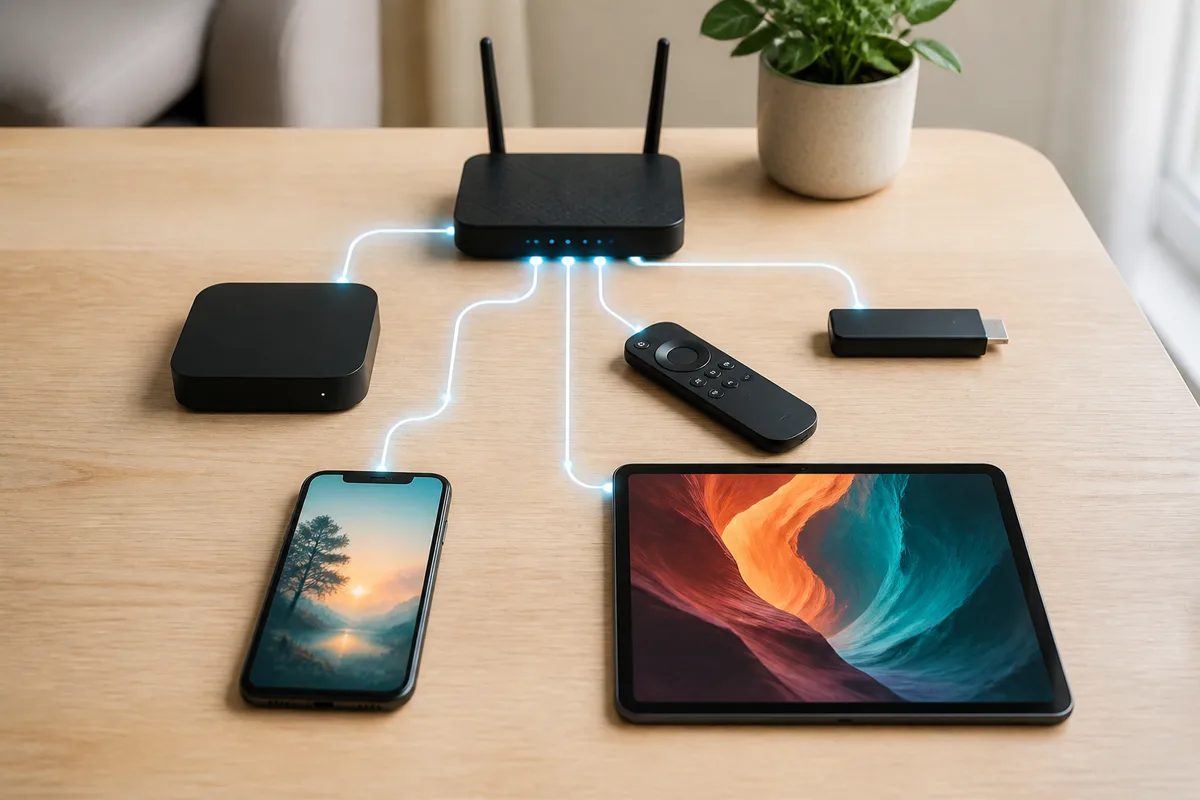
Functionally, the box does exactly what the three stages above describe: it receives IP packets, decodes them with H.264/H.265 and plays them back. The differences come down to processing power, storage for apps, the remote and how long the device keeps getting updates. A dedicated box with a fast processor handles heavy 4K streams and large EPG lists more smoothly than a cheap built-in TV app.
| Device | How it runs IPTV | Suits you if you | Watch out for |
|---|---|---|---|
| Smart TV (Tizen/webOS) | Built-in app, no extra gadget | Want minimal cables | Older models can be slow |
| IPTV box (Android TV) | Full Android, all apps | Want best performance and flexibility | Needs an HDMI port and power |
| Fire TV Stick | App from Amazon's store | Want a cheap, portable option | Limited internal storage |
| Apple TV | App from the App Store | Are in the Apple ecosystem | Pricier hardware |
| Chromecast w/ Google TV | Android TV interface | Also cast from your phone | Needs good Wi-Fi |
| Phone/tablet | App on the go | Watch while travelling | Smaller screen, uses mobile data |
The rule of thumb: start with the equipment you already own. If the built-in TV app works well, you need no box. If you notice lag or missing app support, an Android TV box is the cheapest route to a faster experience. If you want to see how the leading services compare on stability and value, our roundup of the best IPTV options ranks and tests them.
How much data does IPTV use?
How much data does IPTV use? It depends almost entirely on resolution. Because IPTV streams continuously, it consumes data in step with picture quality: the higher the resolution and bitrate, the more data per hour. As a rough rule, SD uses about 0.5–1 GB/hour, HD around 1–2 GB/hour, Full HD roughly 2.5–3.5 GB/hour and 4K UHD about 7–10 GB/hour. These are general technical estimates based on typical bitrates – the exact figures vary by channel and codec.
Note that H.265 (HEVC) can halve the data compared with H.264 at the same resolution. A provider that broadcasts in HEVC therefore uses less data for 4K than one stuck on older H.264. Here is an overview:
| Resolution | Approx. bitrate | Data per hour | Suitable connection |
|---|---|---|---|
| SD (480p) | 1–2 Mbps | ~0.5–1 GB | 10 Mbps |
| HD (720p) | 3–5 Mbps | ~1.5–2 GB | 25 Mbps |
| Full HD (1080p) | 5–8 Mbps | ~2.5–3.5 GB | 25–35 Mbps |
| 4K UHD (2160p) | 15–25 Mbps | ~7–11 GB | 50 Mbps+ |
For most people on fixed fibre, data usage is irrelevant – home broadband rarely has a cap. It becomes relevant in three cases: streaming over mobile 4G/5G with a limited data allowance, watching a lot in 4K on several screens at once, or being abroad on an expensive mobile connection. In those cases you can lower the resolution in the app's settings to save data.
A related question is how many people actually use IPTV. Reliable, exact figures are hard to pin down because the market moves fast and definitions vary – but it is well known that the Nordic countries are among those with the highest broadband and fibre penetration in Europe, which strongly explains why streamed TV has grown so quickly here. Rather than guess a percentage, the honest conclusion is this: the technology has gone from niche to everyday, and high connectivity makes the region an almost ideal market for IPTV.
Want to test how it feels on your own connection? You can spin up a free trial and see for yourself how much data your most-watched channels use.
Support team available 24/7
How do you get Swedish subtitles on IPTV?
How do you get Swedish subtitles on IPTV? Subtitles are enabled in the player's playback menu when you are watching a channel or film – provided the stream actually contains a subtitle track. During playback you open the audio/subtitle menu (often a small speech bubble or a "CC"/"Subtitles" option), choose "Swedish", and the text is overlaid on the picture. On play and catch-up content from Swedish channels, subtitles are usually embedded and can be switched on directly.
It helps to understand the difference between two kinds of subtitles, because it explains why text is sometimes missing:
- Embedded/selectable subtitles (soft subs) – a separate text track carried with the stream. This is the one you toggle on and off in the app's subtitle menu and can switch language on.
- Burned-in subtitles (hard subs) – text that is permanently part of the picture. It cannot be turned off or changed because it lives in the video itself.
How do you get subtitles on IPTV if the menu is empty? Then that channel's stream lacks a selectable text track. The tricks that usually work:
- Check the app's subtitle settings. IPTV Smarters Pro, TiviMate and IBO Player have a global setting for the default subtitle track and font size – set it to Swedish.
- Switch source for the same channel. Many providers carry several versions of a channel (e.g. "SE", "FHD", "Backup"). One of them may have the text track.
- Use the play service for catch-up. SVT Play and TV4 Play always carry Swedish subtitles on their own content; for Swedish-produced material they are a reliable complement.
- Refresh the EPG and the app. An outdated text track or an old app version can cause errors – a reload often fixes it.
In our tests, subtitles on Swedish-produced programmes and the major channels (SVT1, SVT2, TV4, Kanal 5) are generally trouble-free, whereas international channels more often lack Swedish text simply because the source never broadcast it. If you have more questions about devices, apps and settings, you will find answers in our FAQ section.
Troubleshooting: when IPTV does not work
How does iptv work when something goes wrong – and how do you fix it? The vast majority of problems come down to one of three things: the connection, wrong login details or an app/EPG setting. Below we go through the most common faults with cause and concrete fix, so you can get back to the picture quickly.
Problem 1: The picture buffers or stutters
Cause: insufficient or unstable connection, congested Wi-Fi or a resolution too high for the bandwidth. Fix: connect the device with wired Ethernet if possible, or move closer to the router and use the 5 GHz band. Step the resolution down a notch in the app and close other devices loading the network. If the problem persists on every channel, it usually lies with the connection, not the service.
Problem 2: "No channels" or an empty list after login
Cause: an incorrect M3U URL or Xtream Codes, or a subscription that has not finished activating. Fix: check that you copied the link exactly, with no extra spaces, and that the server URL, username and password are correct. Wait a few minutes after activation and reload the playlist. If that does not help, ask support to verify the account is active.
Problem 3: The EPG/programme guide is empty or wrong
Cause: the EPG source (XMLTV) has not loaded or is not mapped to the right channels. Fix: go to the app's EPG settings and force an update. In TiviMate and IPTV Smarters you can remap the EPG source manually. A full reload of the playlist usually restores the guide.
Problem 4: A single channel freezes while others work
Cause: that channel's stream or source server has a temporary outage. Fix: switch to an alternative version of the channel if the provider has several, or wait a moment. A handful of channels misbehaving while the rest stay stable points to the source, not your equipment.
Problem 5: Audio but no picture (or vice versa)
Cause: the device lacks codec support (often H.265/HEVC on older hardware) or the wrong audio track is selected. Fix: change the playback engine/decoder in the app's settings (many apps offer both hardware and software decoding), or pick a different audio track. On older devices, an H.264 version of the channel can solve it.
If problems persist no matter what you try, it is time to contact support. One of the points of a reputable provider is precisely that you can reach help around the clock – something we have prioritised at Nordisc IPTV. For a complete checklist, our dedicated guide on what to do when IPTV is not working walks through every fix in order.
Start streaming in 5 minutes
Pros and cons of how IPTV works
How does iptv work in terms of pros and cons? Because the service is built on the internet, it inherits both the strengths (flexibility, choice, quality) and the weaknesses (dependence on the connection) of all streaming. Here is an honest summary so you know what you are getting into.
Pros
- No cables or installation – you need no technician, dish or cable-TV socket, just internet and an app.
- Enormous choice – capacity is governed by servers, not a cable's frequencies, giving access to tens of thousands of channels and large VOD libraries.
- Better quality – broad support for FHD, 4K UHD and HDR, often beyond what cable and aerial offer.
- Flexibility – watch on a smart TV, box, phone or tablet, at home or travelling, often with no lock-in.
- Smart features – pause, rewind, catch-up and a programme guide (EPG) that one-way TV cannot manage.
Cons
- Needs a stable connection – without enough bandwidth the picture buffers; 25 Mbps for HD and 50 Mbps+ for 4K is a sensible minimum.
- Uses data – relevant if you have a mobile data cap or stream a lot of 4K on several screens.
- Quality depends on the provider – server capacity and the CDN decide whether the stream is steady, so the choice of service matters a great deal.
- A small learning curve – terms like M3U, Xtream Codes and EPG can feel technical the first time (but resolve in minutes with the right guide).
On balance the pros weigh heavily for most households, especially with the high fibre penetration across the Nordics. The cons, in practice, come down to choosing the right provider and having a solid connection.
Frequently Asked Questions about how IPTV works
How does IPTV work, explained as simply as possible?
IPTV takes a TV channel or film, compresses it into digital data, splits it into small IP packets and sends them over your broadband. Your app or box reassembles the packets and shows the picture in real time. It is the same technology that powers everything else online, except the packets carry a living TV picture.
How does IPTV work without a dish or cable?
Because IPTV is transported over the internet, no dish, aerial or cable-TV socket is needed. All you need is an internet connection, a compatible device (smart TV, box, stick, phone) and an IPTV app loaded with your M3U link or Xtream Codes. The signal arrives via your router, just like when you browse the web or stream music.
How does an IPTV box work and do I need one?
An IPTV box is a small Android TV device connected via HDMI that runs IPTV apps. You only need it if your TV is not a smart TV or if you want faster performance. If you already have a Samsung Tizen or LG webOS TV, a Fire TV Stick, Apple TV or Chromecast, you can manage without a separate box.
How do you get IPTV step by step?
Choose a reputable provider with a free trial, install an IPTV app (IPTV Smarters Pro, TiviMate, IBO Player or Smart IPTV), and log in with your M3U link or Xtream Codes from the welcome email. Wait while the channels and EPG load, then start streaming. The whole process normally takes under five minutes.
How much data does IPTV use per hour?
As a rule of thumb, HD uses about 1–2 GB per hour, Full HD around 2.5–3.5 GB and 4K UHD roughly 7–11 GB per hour. H.265 (HEVC) can almost halve the data versus H.264. If you have fixed fibre with no cap it does not matter; on a mobile plan you can lower the resolution to save data.
How do you get Swedish subtitles on IPTV?
Open the audio/subtitle menu during playback and choose "Swedish" if the channel carries a selectable text track. If it is missing, you can set a default subtitle language in the app's settings, switch to another version of the channel, or use play services like SVT Play and TV4 Play, which always carry Swedish subtitles on their own content.
How does IPTV work if my internet is slow?
IPTV uses adaptive bitrate and automatically lowers the resolution when speed is low, so the picture does not freeze entirely. On a very weak connection it may still buffer. For HD, 25 Mbps is usually enough; for 4K you should have at least 50 Mbps, ideally over wired Ethernet at the highest resolutions.
Conclusion
How does iptv work, in summary? The technology takes a TV signal, compresses it with a codec such as H.264 or H.265, splits it into IP packets and sends them via servers and a CDN over your broadband – after which your app or box reassembles everything and shows the picture in real time. You reach the channels through an M3U link or Xtream Codes, the programme guide through an EPG in XMLTV format, and you can switch devices at any time between smart TV, box, stick and phone. Data usage follows resolution, Swedish subtitles are enabled in the player's subtitle menu, and most problems are solved with a better connection or the right login details.
The best part is that you do not need to be a technician to benefit from any of this. Once you grasp the three stages – encoding, distribution and playback – the rest is a matter of choosing a reputable provider and a connection that is up to the job. To go from theory to practice, we recommend starting with Nordisc IPTV and the line-up and plan lengths on our pricing page. In a few minutes you will see exactly how does iptv work on your own channels and screen.
Nordisc IPTV helps households in Sweden and Swedes abroad watch SVT, TV4, Allsvenskan and SHL. Our support team is available 24/7 for setup, troubleshooting, and subscription questions.